Arrivals & departures by weekday
Updated on 2026-09-30
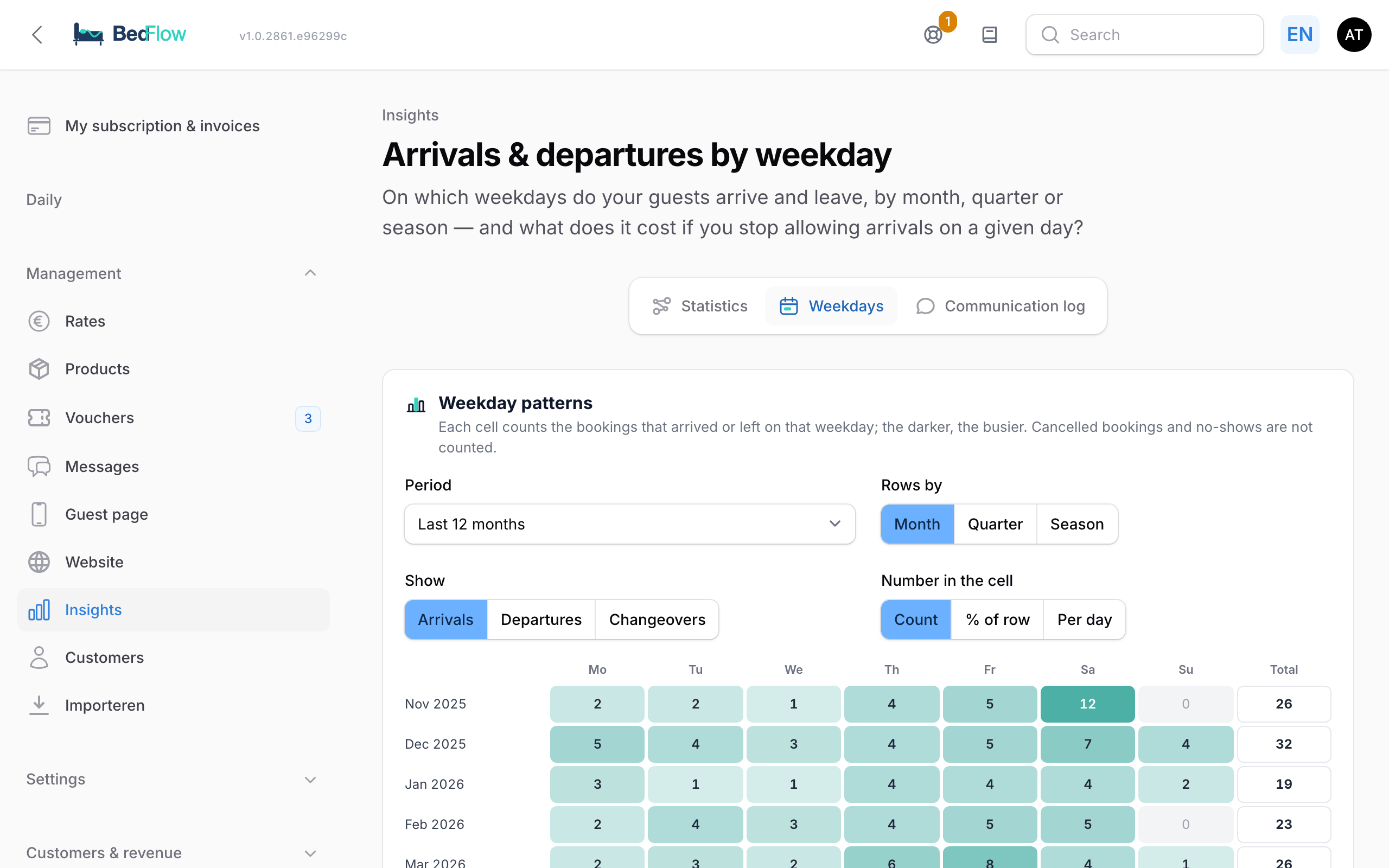
Management → Insights → Weekdays — on which weekdays do your guests arrive and leave, and what does it cost if you no longer allow arrivals on a particular day? A B&B is often open 7 days a week, but not every day is equally busy. This page shows you where the quiet days are and lets you work out whether you can keep one of them free.
This page is part of the extended statistics (from the Starter plan) and always shows the figures of the property selected at the top.
Weekday patterns (heatmap)
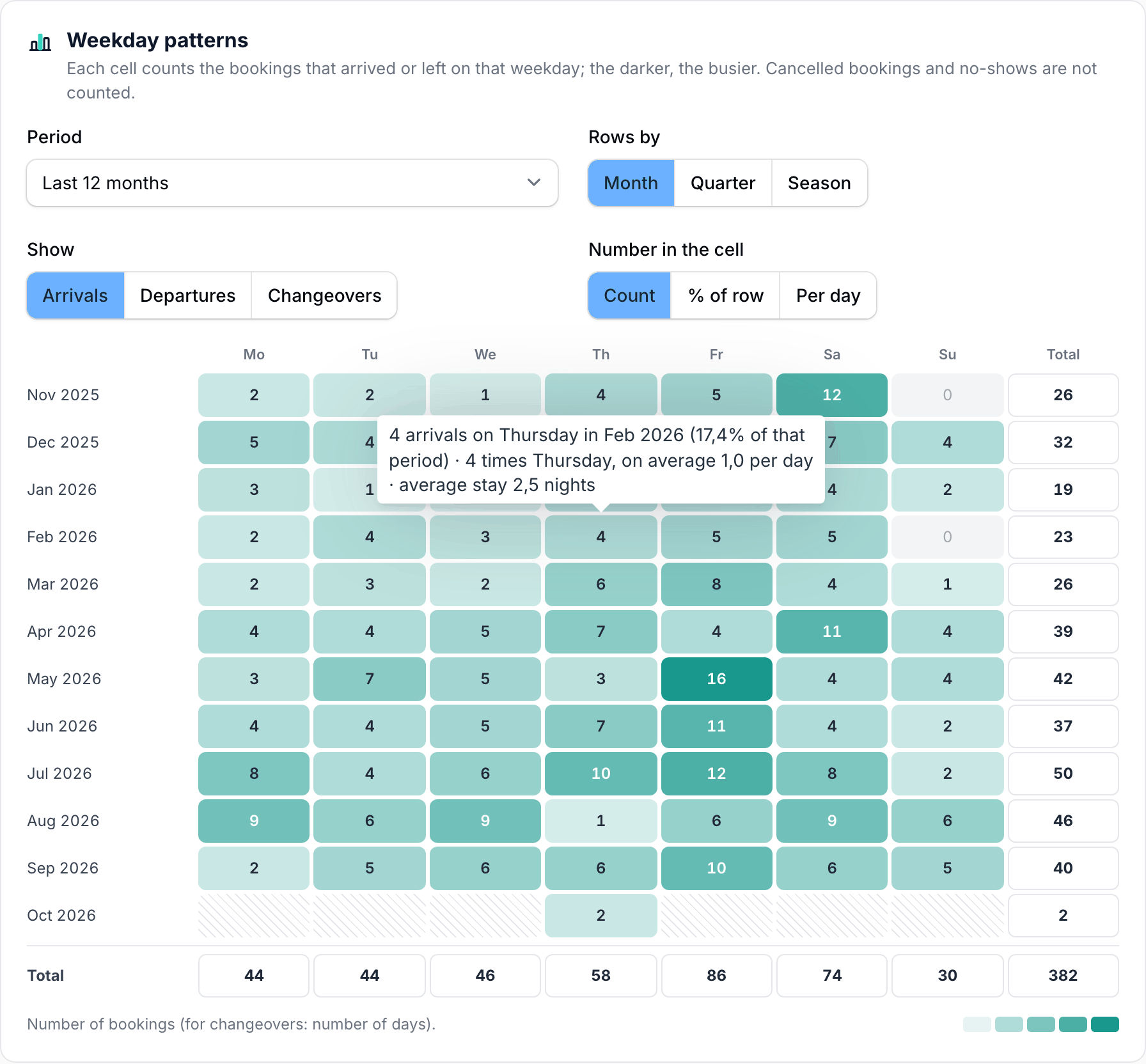
A grid with the weekdays (Monday … Sunday) as columns. The darker a cell, the busier that weekday was. Hover over a cell (or tap it on your phone) for the details: the number of bookings, what share of the period that is, how often that weekday occurred and the average length of stay.
- Period: the last 12 months (default), the last 24 months, or a calendar year.
- Rows by: Month, Quarter or Season. Seasons come from your rates (season rules under Rates). If two seasons overlap, a day counts towards the first one in the list; days that fall in no season at all are grouped together under "Outside seasons". If you have not set up any seasons, the quarters are your seasons.
- Show:
- Arrivals — bookings that arrived that day;
- Departures — bookings that left that day;
- Changeovers — days with both a departure and an arrival (freeing up and preparing a room on the same day).
- Number in the cell:
- Count;
- % of row — what share of that month's arrivals (or departures) fell on that weekday;
- Per day — the average per occurrence of that weekday. Fair when a month has five Tuesdays but only four Wednesdays.
The Total column always shows the count; the bottom row adds up the whole period.
What counts
- Cancelled bookings and no-shows do not count — the same rule as in the rest of the statistics.
- The weekday is the date as it appears on the booking (arrival or departure date).
- One booking is one arrival and one departure, even if the guests booked several rooms or a combination room.
Arrivals and departures by weekday
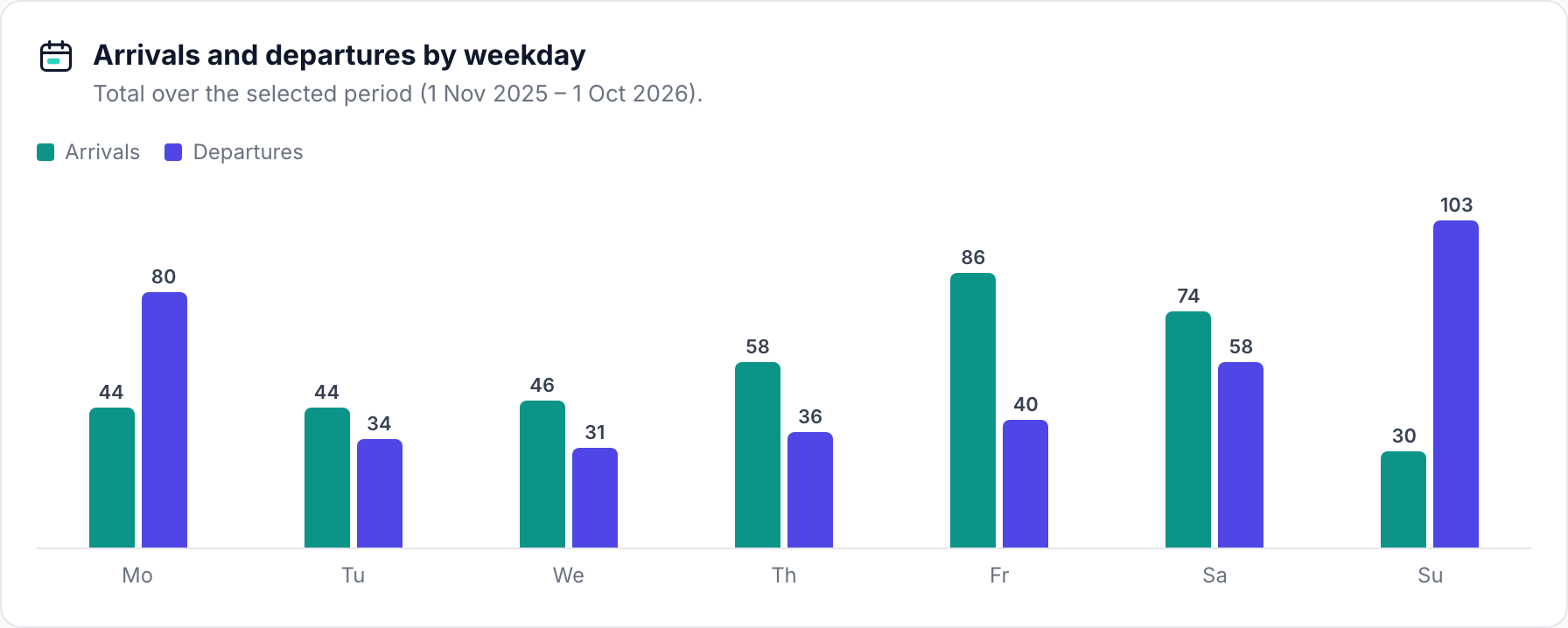
Below the heatmap is a bar chart with the total per weekday over the selected period: arrivals (green) next to departures (purple). That way you can see at a glance, for example, that Friday is your arrival day and Sunday your departure day.
What if…? (simulator)
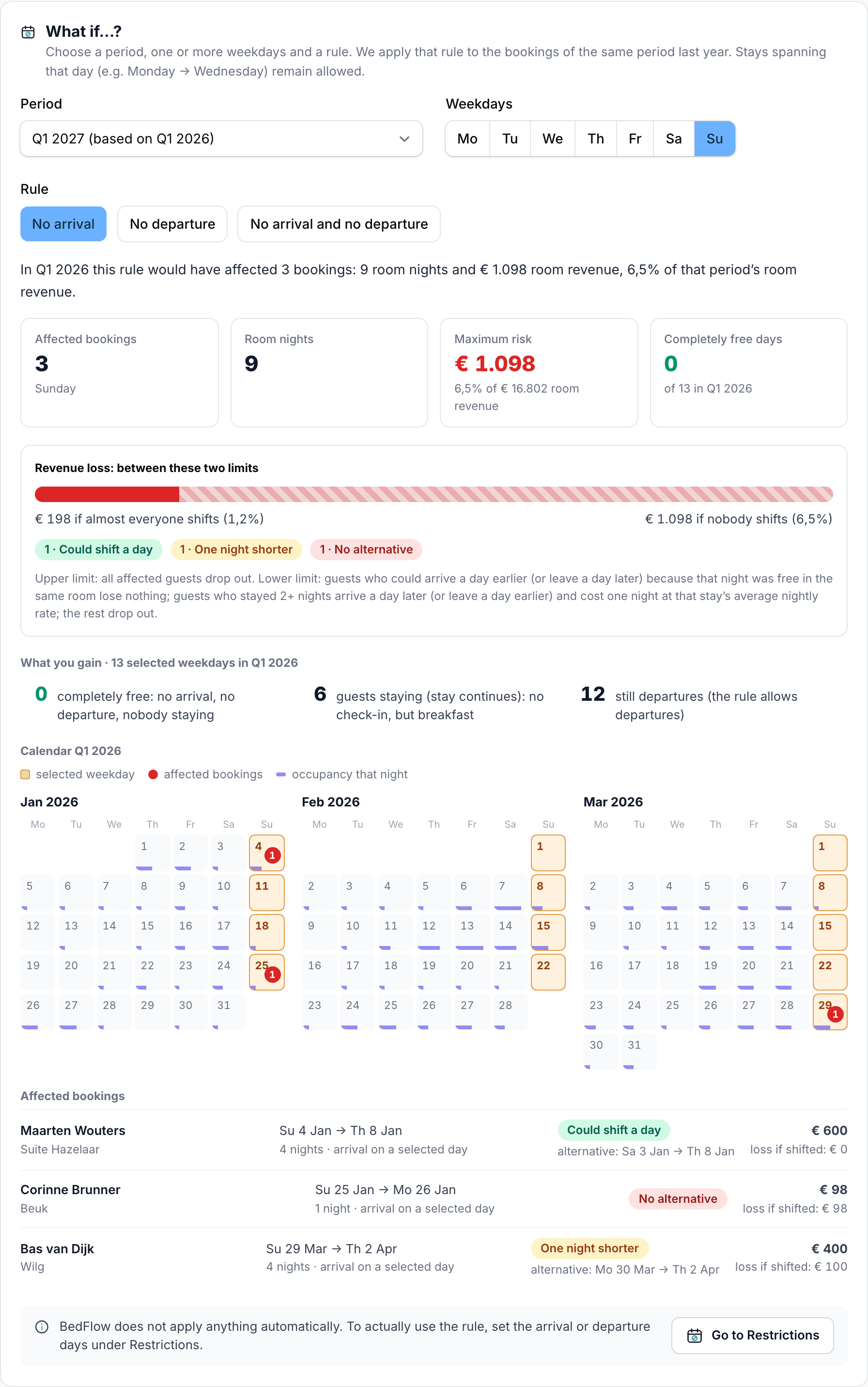
Choose:
- Period — the coming quarter or a coming month. As the basis, we use the same period one year earlier: for "Q1 2027" those are the bookings of Q1 2026.
- Weekdays — one or more. By default, the weekday with the fewest arrivals in the base period is ticked.
- Rule — No arrival, No departure, or No arrival and no departure.
Stays that span the chosen day (e.g. Monday → Wednesday with a Tuesday rule) remain allowed and are therefore not affected.
You get:
- Affected bookings and Room nights: the bookings that arrived (or departed) on such a day in the base period.
- Maximum risk: their room revenue, and what share of the period's room revenue that is — as if all those guests dropped out.
- Revenue loss: between these two limits — a range instead of a single figure:
- the upper limit: nobody shifts, all affected guests drop out;
- the lower limit: anyone who could have arrived a day earlier (or left a day later) because that night was still free in the same room loses nothing; anyone who stayed 2 or more nights can arrive a day later (or leave a day earlier) and costs one night, calculated at the average nightly rate of that stay; the rest is lost entirely. A new arrival or departure day may not itself fall under the rule.
- What you gain: how many of the chosen days in the base period would have been completely free (no arrival, no departure, nobody staying), on how many there were still guests staying (their stay continues: no check-in, but breakfast) and — with a rule that still allows departures or arrivals — on how many days there were still departures or arrivals.
- A calendar of the base period: the chosen weekdays are highlighted, a red dot shows the number of affected bookings, and the purple bar at the bottom shows the occupancy that night.
- The list of affected bookings, showing for each booking whether it could have shifted (and to which dates), the loss at the lower limit and the room revenue.
Which revenue
Room revenue = the overnight-stay lines on the booking's invoice or proforma — exactly what the "Revenue per room" chart on the Statistics page counts as room revenue. Breakfast, tourist tax, wellness and extras are not included. If several bookings share one invoice, that invoice is counted once and split in proportion to the room nights. A booking without an invoice or proforma has no known revenue; the page tells you how many there are.
Example: Tuesday in Q1
You are wondering whether you could stop check-ins on Tuesdays in the first quarter, so you have that day off.
- First look at the heatmap with Rows by: Quarter and Show: Arrivals. If the Tuesday cell in Q1 is light, Tuesday arrivals are rare in that period.
- In What if…?, choose: period Q1 2027 (based on Q1 2026), weekday Tue and rule No arrival.
- Read the outcome, for example: "In Q1 2026 this rule would have affected 2 bookings: 5 room nights and €585 room revenue, 5.6% of the room revenue of that period." The range then says, for example, "€0 if almost everyone shifts" and "€585 if nobody shifts": both guests could have arrived a day earlier in the same room that night.
- Under What you gain, you see how many of the 13 Tuesdays would really have been free, and on how many there were still guests staying who need breakfast.
Then also try No arrival and no departure: that often costs more, but gives you more truly free days.
Actually setting the rule
BedFlow does not apply anything automatically. If you want to actually use the rule, set the arrival or departure days under Rates → Restrictions (the Go to Restrictions button at the bottom of the simulator takes you straight there).
Good to know
- The simulator looks back; it does not predict: it shows what the rule would have cost last year. Nobody knows whether guests will really shift by a day — hence a range rather than a single figure.
- "Free" means: no other booking and no manual block in the same room(s) that night. A booking whose room is unknown counts as "could not shift".
- The lower limit does not count a longer booking as a gain: a guest who would take an extra night counts as "no loss", not as extra revenue.