Automatic payment confirmation
Updated on 2026-10-01
Daily → Payments
When a guest pays their deposit or the full amount online via Stripe, Mollie or Bancontact, BedFlow sets everything else in motion by itself: updating the invoice, confirming the booking, emailing the guest and notifying you. Everything that comes in is shown under Daily → Payments.
For each property you choose either Stripe or Mollie as the card provider, never both. Bancontact / WERO can be used alongside either one. See Setting up Mollie and Setting up Stripe.
What happens when a guest pays online?
For bookings via your own website or ones you entered yourself:
- Stripe, Mollie or Bancontact reports the payment to BedFlow immediately and automatically.
- The invoice is updated: the payment is added, the outstanding balance is recalculated and the status changes to partially paid (deposit) or paid (in full).
- The booking goes from pending to confirmed, and the link to the guest page is created.
- The guest receives an email: the Payment received automated message (see below).
- You receive a notification: in your property's Telegram channel and as a push notification in the BedFlow app.
- On the first payment, the guest also receives a WhatsApp message, if your property has WhatsApp connected.
A payment doesn't finalise the invoice. That happens after departure, see Invoicing.
Which email does the guest receive?
| Moment | Automated message | Default |
|---|---|---|
| First payment (deposit or everything at once) | Payment received | on, not for bookings via Booking.com, Airbnb and other channels |
| Payment of the remaining balance | a message with the trigger On full payment (remaining balance) and the Booking Fully Paid template | not present by default: add it yourself if you want it |
You manage those messages under Management → Messages → Automated messages. See Guest journey overview.
Good to know:
- After the stay (checked out or departure day passed), no payment email is sent any more.
- If a guest pays an invoice that was already fully paid, they don't receive a second message. You do get the notification.
And if you register the payment yourself?
If the guest paid in cash, by card terminal or by bank transfer, you register it yourself with Register payment: in Daily → Invoices, when checking out, on the wellness tile or in the app. Almost the same then happens:
- the invoice and the balance are updated;
- if everything is paid, a pending booking goes to confirmed;
- the guest receives the same payment email, according to the same rules;
- you receive the notification.
No WhatsApp message is sent to the guest in that case.
Your notification
The Payment received notification shows the property, the reference, the guest, the payment method, the amount and the invoice total, and below that either "Paid in full" or what is still outstanding. If the payment belongs to a wellness session, that's shown too.
The Telegram notification only goes to your property's own channel. If you don't have your own channel, you only receive the notification as a push notification in the app. See Telegram notifications per property.
What does the guest see with Bancontact on their phone?
If the guest chooses Pay with Bancontact on the payment page on their phone, they stay on the payment page:
- with the Open the app and confirm button, which opens the Bancontact or Payconiq app;
- with a QR code, to scan with the app on another device;
- with the Pay on the Bancontact web page link;
- with a countdown: a Bancontact payment link is only valid for a short time. If it has expired, the guest requests a new one with New payment link.
As soon as the payment is confirmed, the page moves on to the confirmation by itself. The guest doesn't need to reload anything.
The Payments page
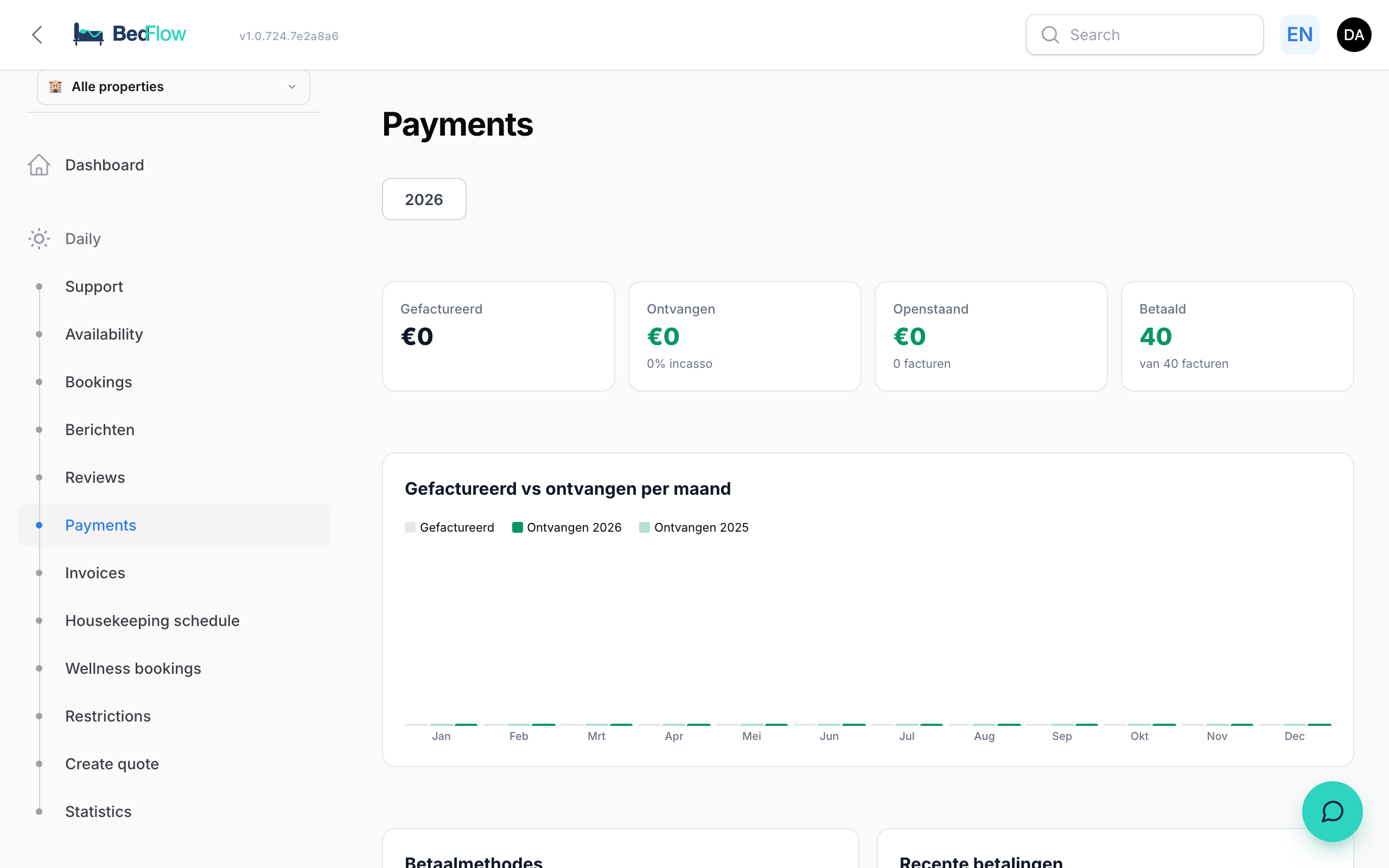
Daily → Payments is an overview per year (choose the year at the top):
| Block | What you see |
|---|---|
| Key figures | Invoiced (with the change compared with last year), Received, Outstanding (final invoices), Expected (proformas), Paid and Overdue (older than 30 days) |
| Invoiced vs received per month | Chart per month |
| Payment methods | How much came in per method: credit card, Bancontact, bank transfer, cash, Stripe, Mollie, gift voucher, OTA payout, … |
| Recent payments | The latest payments |
| Invoices | All invoices with date, customer, total, paid, open, Method (e.g. "Stripe + Bank transfer"), status and a Payment link if something is still outstanding. Filter on All, Paid, Open or Overdue |
Click an invoice number to open the invoice in BedFlow. The page counts both online and manually registered payments.
Example: Jan books 3 nights
| Moment | Jan | You |
|---|---|---|
| Books via your website | Receives the confirmation with a payment link | Notification of a new booking |
| Pays a €96 deposit via Stripe | Receives the "Payment received" email (and a WhatsApp message) | "Payment received" notification, with "Still open: €231" |
| Pays the remaining balance later | Only receives an email if you added a message for the remaining balance | "Payment received" notification, with "Paid in full" |