Housekeeping module — activating it and adding housekeepers
Updated on 2026-10-01
Settings → Integrations → Guest experience → Housekeeping module
If you work with cleaning staff, you give each housekeeper a personal link to a simple portal on their phone. There they see what needs doing in each room today, without any guest details. The module is optional: only switch it on if you use it.
What do you need?
- The Starter plan or higher. Housekeeping is not included in the Seizoen and Micro plans.
- To send links and the daily notification: a connected WhatsApp connection.
- If you work with several users, whoever manages the schedule needs the Cleaning schedule permission. See Extra users and permissions.
Switching on the module
- Go to Settings → Integrations.
- In the Guest experience category, find the Housekeeping module tile.
- Switch on the toggle on the tile. You get the message "Setting activated" and the tile shows Active.
The toggle applies to the property selected at the top. If you have several, switch the module on for each property where you work with cleaning staff; your other properties are not affected.
From then on, there are two extra items in your sidebar:
| Menu item | What it's for |
|---|---|
| Settings → Housekeepers | The people who clean for you, with their personal link |
| Daily → Housekeeping schedule | Who comes when, the time of the daily notification and the cleaning checklist |
The Daily → House-manager digest menu item is there even without the module. See House-manager digest.
If you switch the module off again later, the two menu items disappear, your housekeepers' personal links stop working and no more daily notifications go out. Your data is kept.
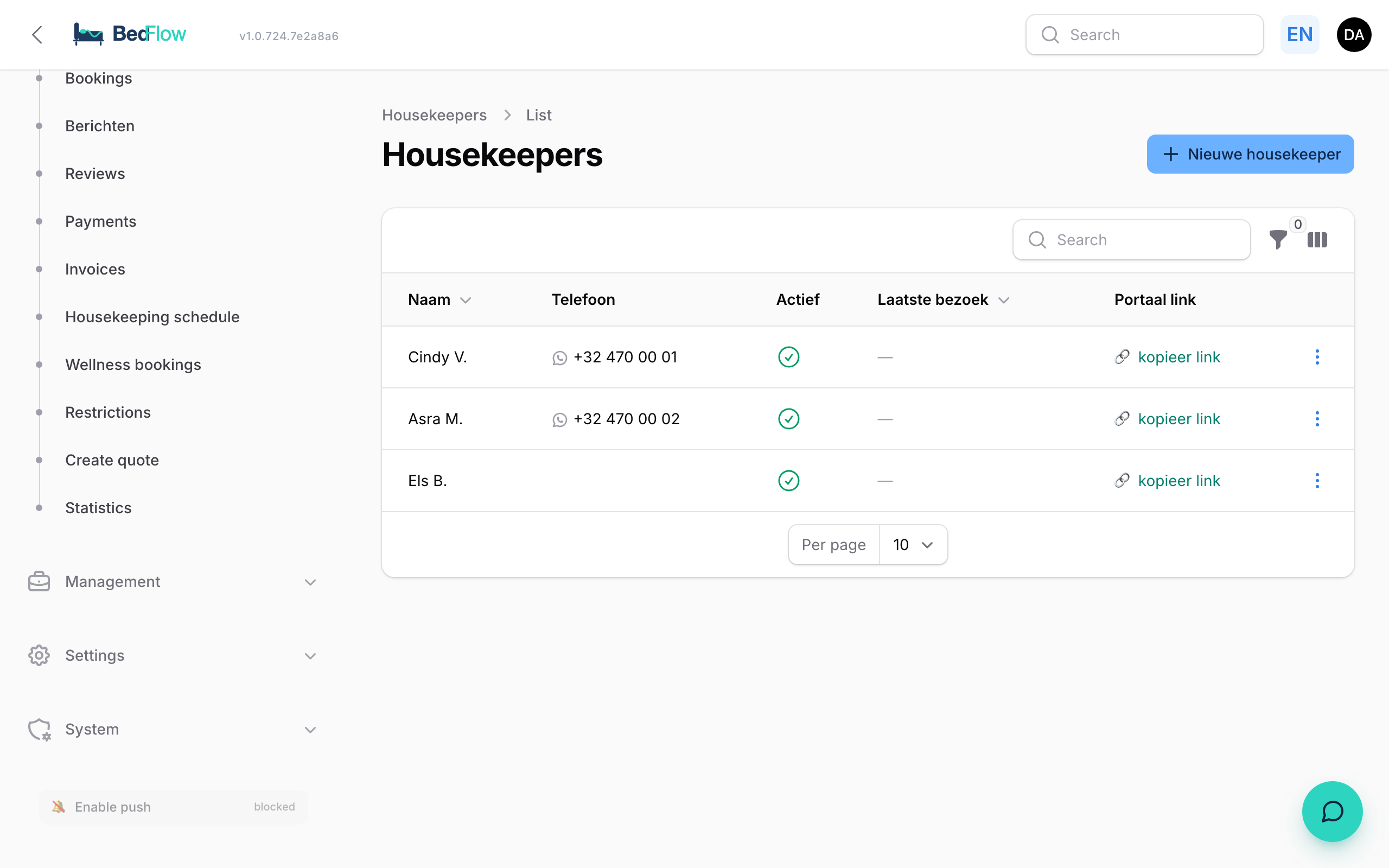
Adding a housekeeper
- Go to Settings → Housekeepers and click New housekeeper.
- In the Basic details section, fill in:
| Field | Explanation |
|---|---|
| Name | Required. For yourself, and to greet them in the WhatsApp message. Guests never see this name |
| Phone | Their mobile number in international format, e.g. +32 470 12 34 56. Needed to send their link via WhatsApp |
| Order | Determines the order in the list and in the schedule |
| Active | On by default. Off = their link no longer works and they disappear from the schedule |
| Notes | Free text, for you only |
- Click Create. BedFlow automatically creates a personal link.
Sending the link
Each housekeeper has their own secret link. You'll find it in the list:
- In the Portal link column, click copy link to copy the link, e.g. to forward it yourself.
- Or open the menu at the end of the row and choose:
- Send WhatsApp link: sends their link with a short welcome message via your WhatsApp connection. This button only appears if a phone number has been entered.
- Open portal (test): opens their portal in a new tab, so you can see for yourself what they see.
- New token (invalidate old link): creates a new link and disables the old one, e.g. if someone leaves or passed the link on. Then send the new link again.
The Last visit column shows when they last opened their portal.
The daily notification
On Daily → Housekeeping schedule you mark who comes to clean on which day. On those days, every scheduled housekeeper automatically receives their link via WhatsApp, at 08:00 by default. You change the time at the top of that page. See Schedule: who cleans when?.
Frequently asked questions
I don't see Housekeepers in the menu. Check whether the module is switched on, whether your plan is Starter or higher and whether you have the Cleaning schedule permission.
"WhatsApp not configured" when sending the link. Your property doesn't have a WhatsApp connection yet. Connect it first, or copy the link with copy link and send it yourself.
A housekeeper is leaving. What do I do? Switch off Active, or choose New token (invalidate old link). In both cases their old link no longer works.
Next step
Read Housekeeper portal: what does the cleaner see? to see what the portal looks like.