Guided tour — BedFlow in 5 minutes
Updated on 2026-10-01
A quick tour of the screens you use most. New to BedFlow? Afterwards, follow the Getting started plan: it tells you in which order to set everything up.
Logging in
Go to bedflow.eu and log in with your email address and password. You can also log in with a passkey or with Google. See Login & account security.
How the sidebar works
The sidebar has three groups:
| Group | What for? |
|---|---|
| Daily | What you use every day: the calendar, bookings, messages, payments and invoices |
| Management | What you adjust now and then: rates, products, message templates, your website and your figures |
| Settings | What you set up once: your property, your rooms, taxes, integrations and users |
Only Daily is open by default. Click Management or Settings to expand that group. At the very top you'll find My subscription & invoices.
If you see a menu item with the label Upgrade, that module isn't included in your subscription. See Subscription & billing.
1. Availability — your home screen
Daily → Availability
This is where you land after logging in. The screen is called Room overview: all your rooms and days in one grid, with your bookings shown as coloured bars. You can switch between a timeline and a month view.
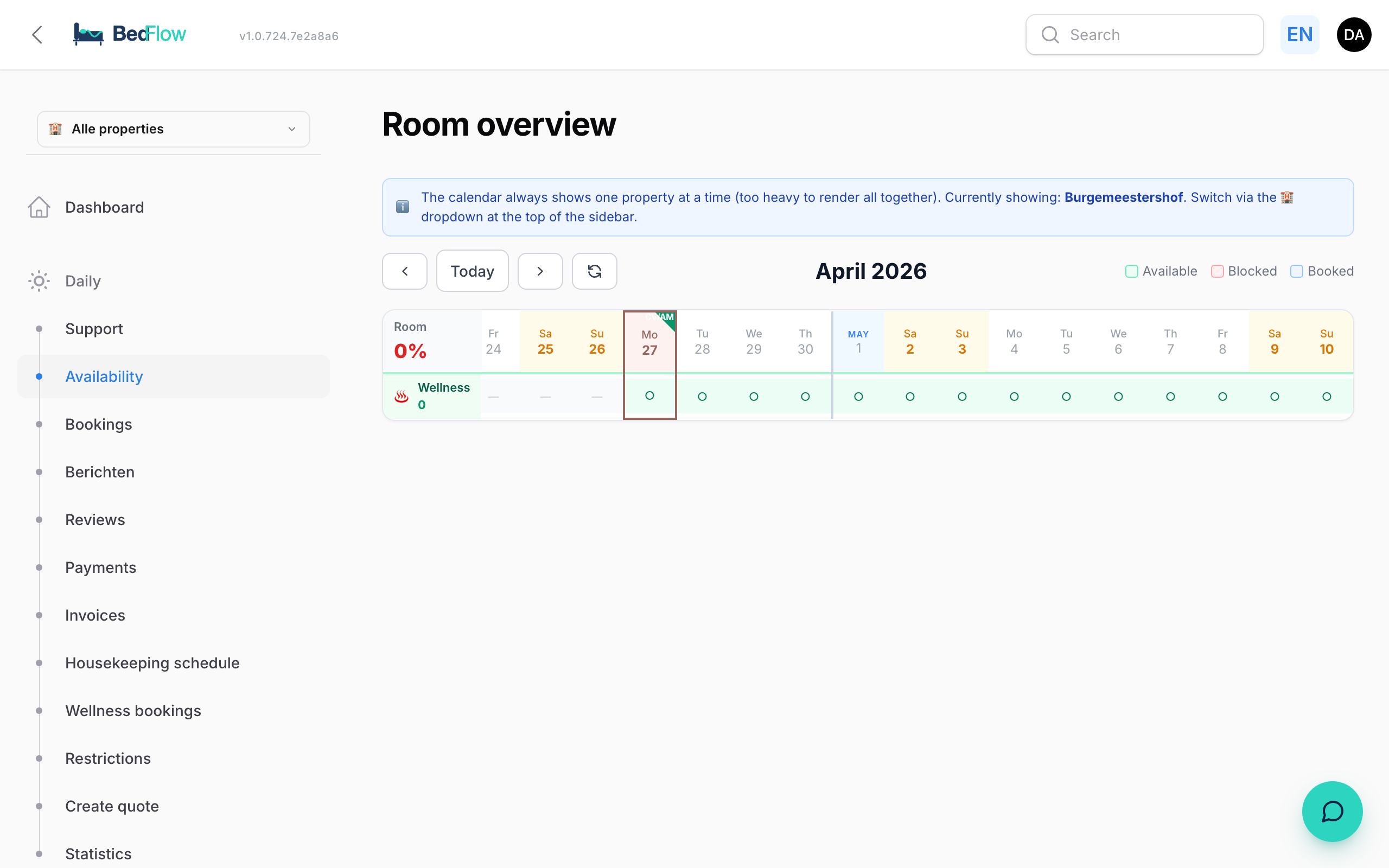
This is also where you see who is arriving, staying and leaving today, and where you check guests in and out. See Room overview and Check-in, check-out and settling the bill. Right-click to block rooms for a period; see Room availability.
2. Bookings
Daily → Bookings
The list of all your bookings, with filters for status, channel and date. Use New booking to enter a phone booking or a walk-in. See Manual booking.
3. Room types
Settings → Room types
This is where you create and manage your rooms: name, number of guests, rates, photos, translations and the link with your channels. See Create a new room.
4. Rates
Management → Rates
Everything about your rates on one screen: how the price is calculated, your base prices per room, your rate profiles (seasons, public holidays, discounts, channel mark-ups) and a monthly price calendar. The Restrictions tab handles minimum stay and arrival and departure days. See Rate management.
5. Messages
There are two menu items called Messages:
- Daily → Messages: your guest inbox with WhatsApp and the Booking.com and Airbnb chat. See Guest inbox.
- Management → Messages: your automated messages and your message templates. See Guest journey overview.
6. Insights
Management → Insights → Statistics
Occupancy, revenue per month, per room and per channel, and the comparison with last year. See Statistics.
7. Integrations
Settings → Integrations
All integrations as tiles, by category: Channels, Payments, Communication, Accounting, PMS & Sync, Smart Home & Home Automation and Guest experience. Each tile shows its status. Use the filters at the top to see, for example, only the active integrations or the ones that still need something. See Integrations overview.
8. Your property settings
Settings → My property
Name, address, check-in times, Wi-Fi, branding, cancellation policy, your own web address and your invoicing details. What a guest pays when booking is set under Settings → Deposit. See My property.
At the top of every screen
- Search: find an invoice by its number.
- Lifebuoy: your support tickets, with the number of open tickets. See Creating a ticket.
- Book icon: opens this manual in a new tab.
- Your name: your profile (password, passkeys, two-factor authentication) and My subscription & invoices.
On your phone too
With the BedFlow app for iPhone and Android you check guests in, block rooms and answer messages on the go. See The BedFlow app.
Next step
Open Getting started and work through the step-by-step plan, or start with Create a new room.