Guest page editor
Updated on 2026-10-01
Management → Guest page
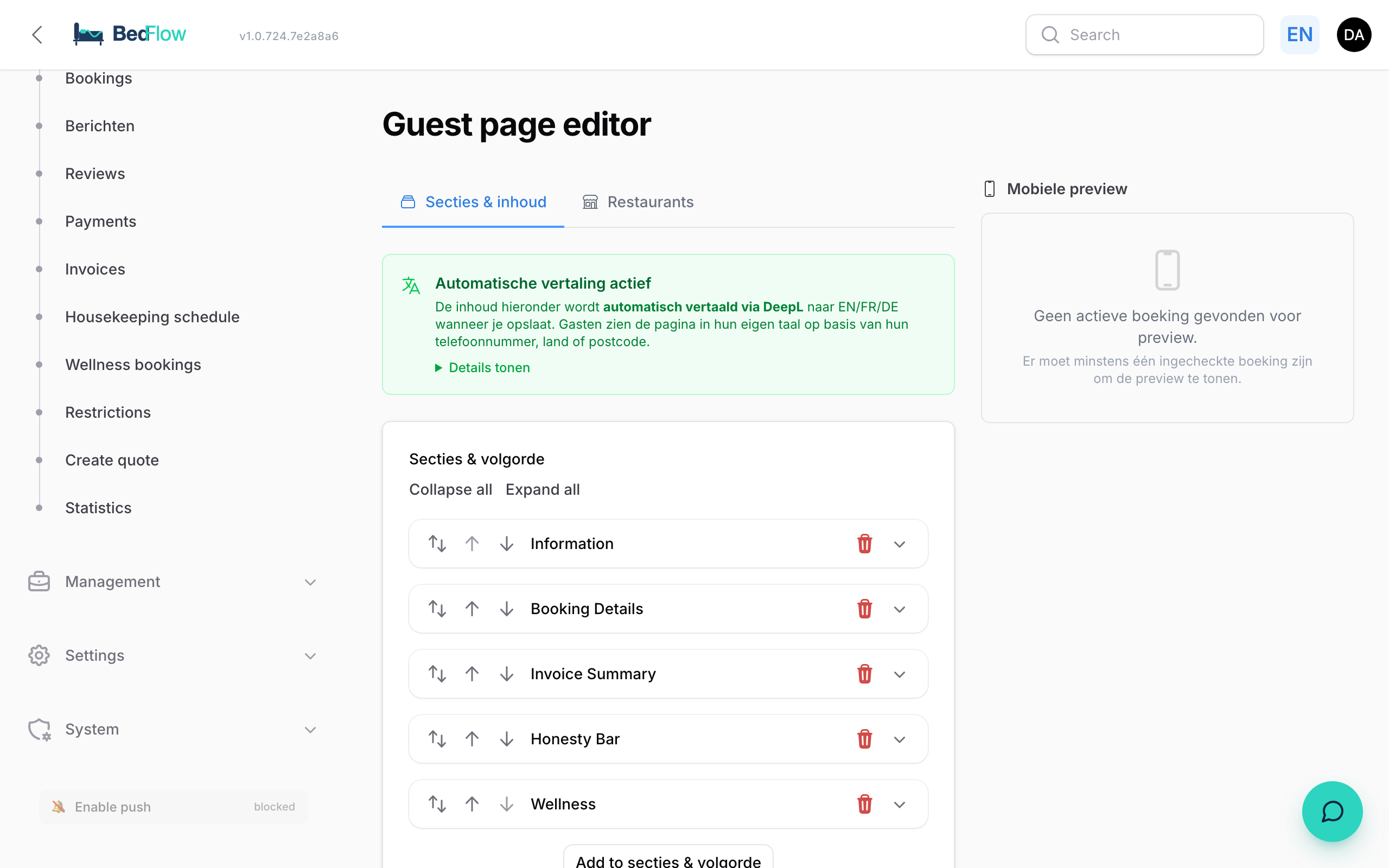
In the Guest page editor you decide what your guests read on their personal guest page: practical info, your restaurant recommendations, custom sections and their order. On the right you immediately see how it looks on a phone.
The editor is included in the Starter plan and higher. On Seizoen and Micro, the menu item is shown with an Upgrade badge. Your guests do get their guest page on every plan, with the default content. To use the editor you need write access to Settings (see Extra users and permissions).
Which property are you editing?
At the top it says You are editing the guest page of followed by the name of your property. Each property has its own guest page. To edit a different property, switch property at the top of the sidebar.
Sections & content tab
Under Sections & order you'll find all sections of the guest page, in the order in which the guest sees them. Click a section to expand it.
The fixed sections
These sections are always part of the page. You can't delete them, but you can move them.
| Section in the editor | What the guest sees | What you can change |
|---|---|---|
| Information | Information: your own text, attachments and the weather forecast | Content and Attachments |
| Booking Details | Booking Details: dates, room, guests, remarks | Only its position |
| Restaurants | Nearby Restaurants | The list, in the Restaurants tab |
| Invoice Summary | Invoice Summary with the outstanding balance | Only its position |
| Honesty Bar | Honesty Bar | Only its position. You manage the products under Management → Products |
| Wellness | Wellness (only if your property offers wellness) | Only its position |
BedFlow places the Breakfast section below the booking details itself, if your property offers breakfast.
The Information section
This is where your practical info goes: wifi, parking, house rules, tips.
- Content: formatted text with headings, bold, lists and links.
- Attachments: files the guest can open, for example a map or a menu as a PDF.
If you have never saved the editor, your guests don't see any text under Information yet. If you click Save while Content is empty, BedFlow fills in a default text with your own details: your wifi, your breakfast times, your check-out time and your contact details. Feel free to adjust that text afterwards.
In the Information section, the guest page also shows the weather forecast for your property's town. For this, BedFlow uses the City field under Settings → My property → Location & contact. Without a city, the weather forecast is left out.
Adding a custom section
- At the bottom of the list, click Add to sections & order.
- Give it a Title, for example "Cycling routes" or "House rules".
- Fill in the Content and add Attachments if you like.
- Click Save.
You can delete a custom section again later.
Changing the order
Move a section with the arrows or by dragging it. Then click Save. After saving, the preview refreshes.
Translated automatically
Write your text in Dutch. When you save, BedFlow uses DeepL to translate the content of Information and of your custom sections into English, French, German, Spanish and Italian. This happens in the background: the translations are ready after a few moments.
Good to know:
- The titles of the fixed sections and the buttons on the page are already translated.
- The title of a custom section is not translated. Choose a title that is clear to everyone, or put two languages in the title.
- Under Show details in the Automatic translation active block, you can see what is and isn't translated.
Restaurants tab
This is where you manage the restaurants you recommend to your guests.
- Click Add to restaurants.
- Fill in: Name, Cuisine, Website URL and, if applicable, the Closing days.
- Click Save restaurants.
On a closing day, the guest page shows the restaurant greyed out with the label "Closed today". If you have no restaurants, the section doesn't appear for your guests.
Mobile preview
On the right you see the real guest page of one of your bookings, in a phone frame. Click Refresh after saving, or Open to view the page in a new tab.
The preview needs a checked-in or confirmed booking that hasn't ended yet. If you don't have one yet, you see No active booking found for preview.
What about your cleaning staff?
The editor doesn't change anything in your cleaning staff's portal. Housekeepers work with their own portal without guest details.
Frequently asked questions
Where do I change my wifi? Under Settings → My property → WiFi. See Wifi and the QR card. The text in Information is free text: if your wifi changed, update that text too.
Where do I change the welcome text and the links at the bottom? Under Settings → My property. See White-label guest page.
My restaurants are gone. Check at the top which property you are editing. The list is per property.