iCal feeds (import and export)
Updated on 2026-10-01
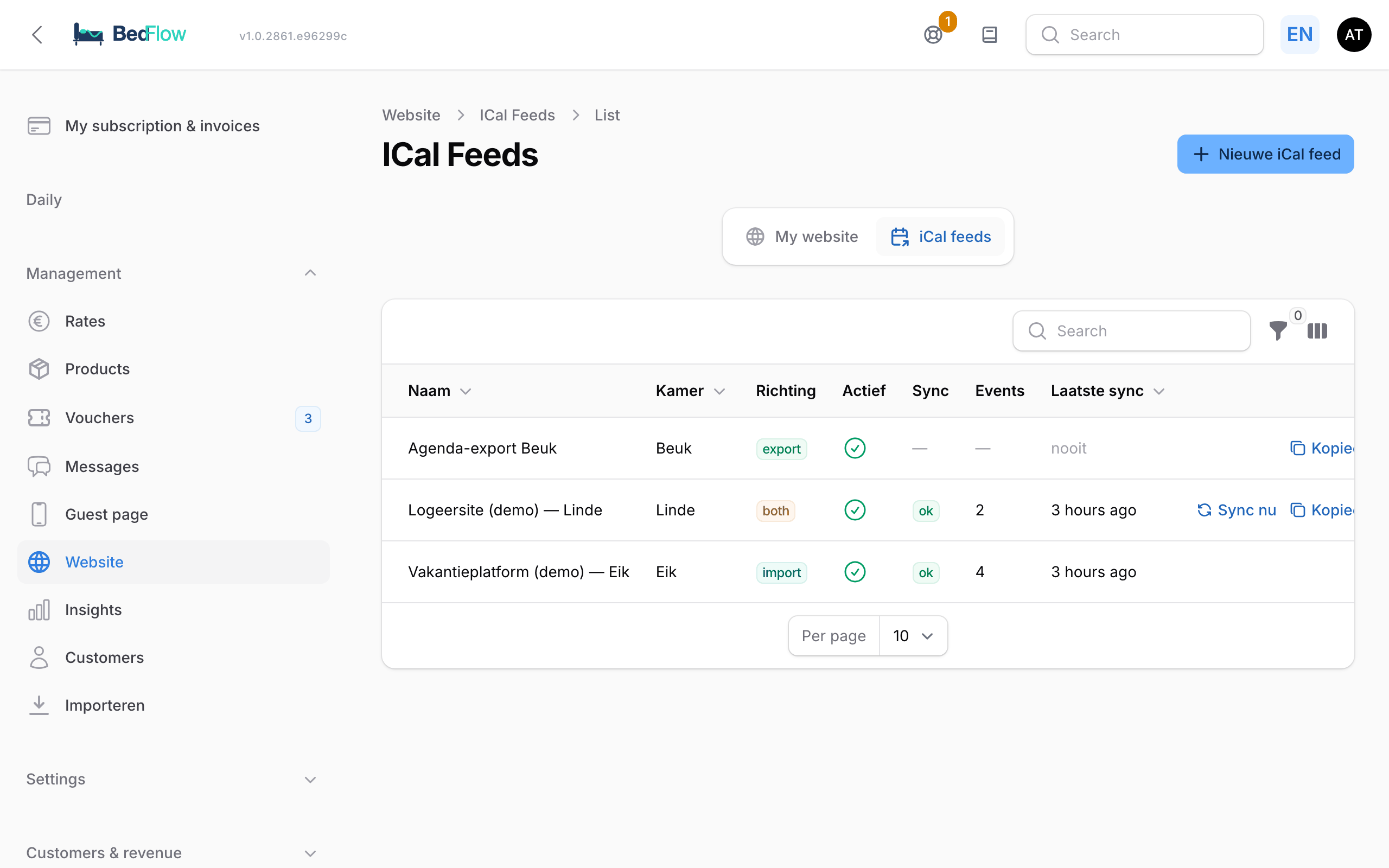
Management → Website → iCal feeds tab
For channels that have no connection with the channel manager, you use iCal feeds. This works for Bedandbreakfast.eu, Gîtes de France, Clévacances, Belvilla, Novasol, Interhome, Logis Hotels and practically any party that offers an .ics link. With an export feed, you can also put your bookings in your own calendar.
How it works
| Direction | What BedFlow does |
|---|---|
| Import (incoming blocks) | Fetches an external .ics link every hour and turns each event into a block in your room overview. If a booking is cancelled at the source, the block disappears by itself. |
| Export (public iCal feed of this room) | Creates a public .ics link per room with your confirmed bookings and manual blocks. Other systems subscribe to it. |
| Both | Both at the same time (handy between two systems). |
Creating a feed
- Go to Management → Website and choose the iCal feeds tab at the top.
- Click New iCal feed.
- Under Feed settings, fill in:
- Name: free to choose, e.g. "Bedandbreakfast.eu — Room 4"
- Room: the room the feed applies to
- Direction: usually Import for incoming blocks
- Active: on
- For an import: paste the other system's
.icslink into iCal URL (section Import source). - Save.
- In the list, click Sync now to test straight away. You'll see how many events were turned into blocks.
After that, BedFlow fetches the feed itself every hour.
Sharing an export feed
- Create a feed with the direction Export (no iCal URL is needed then).
- After saving, click Copy export URL in the list. You'll also find the link in the feed's form, in the Export URL section.
- Paste that link into the other system (e.g. in a channel's extranet, under "Add iCal link").
Your own calendar (iPhone, Mac, Google Calendar)
If you want to see your bookings among your personal appointments, create an export feed per room and subscribe to it.
- Create a feed with the direction Export for each room.
- Switch on Add guest details to iCal events if you want to see the email, phone and number of guests when you tap a booking. Leave it off for feeds you give to Booking.com or Airbnb.
- Copy the export URL.
- iPhone and Mac: replace
https://withwebcal://and open the link on the device — you're asked straight away whether you want to subscribe. You can also do it manually: on the Mac in the Calendar app via File → New Calendar Subscription; on the iPhone via Settings → Calendar → Accounts (in recent iOS versions Settings → Apps → Calendar), then Add Account → Other → Add Subscribed Calendar. - Google Calendar: Other calendars → From URL and paste the link.
Set the refresh frequency in your calendar to every hour; by default it is sometimes set to weekly, which makes your calendar seem out of date.
One subscription per room, each with its own colour. The feed contains confirmed bookings and blocks — not cancelled bookings.
Privacy
Each feed belongs to one room of one property. The web address of an export feed contains a long, unique code: anyone who has the link can read the bookings of that one room, not those of your other rooms. So don't share the link lightly, certainly not with guest details switched on.
Limitations
- An import only takes availability, not prices or guest details. For full connections with prices and bookings, use the channels via the channel manager.
- Many parties only refresh their own feed now and then. A booking via such a channel therefore doesn't appear within seconds, but rather after 1 to 24 hours. So a small risk of a double booking remains.
- Recurring events are not supported. For accommodation feeds that's not a problem: each booking appears as one separate event.