Discount codes & gift vouchers
Updated on 2026-10-01
Management → Vouchers
On this page (titled Vouchers & gift cards) you manage two kinds of codes:
- Discount codes: a code a customer enters when booking to get a discount, e.g. a promotion or an agreement with a company.
- Gift vouchers: a voucher with a unique code, which someone bought from you or which you give away yourself.
The number next to the menu item shows how many codes are active.
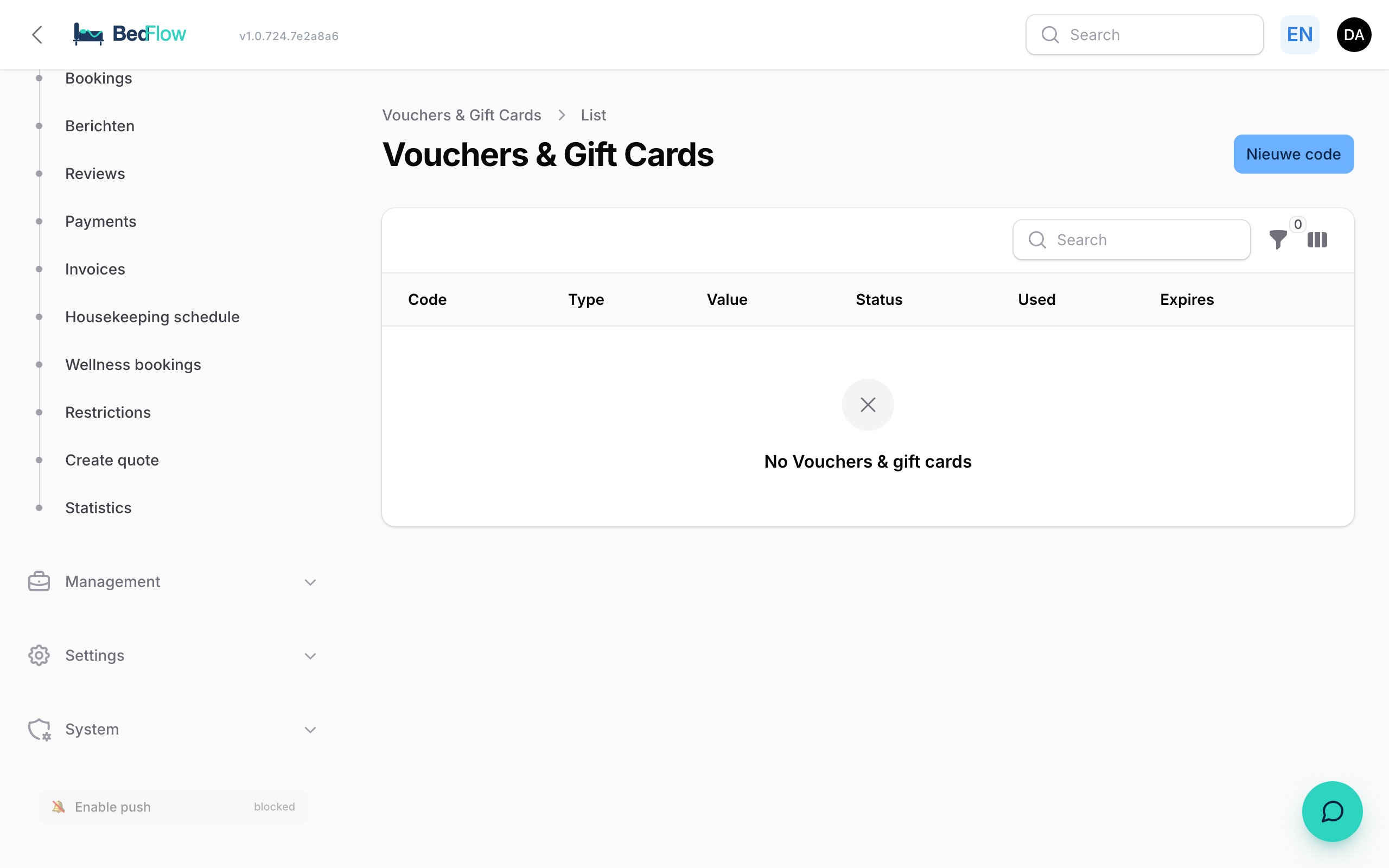
The list
| Column | What you see |
|---|---|
| Code | The code, with a button to copy it |
| Type | Discount or Gift card |
| Value | A percentage or an amount |
| Status | Active, Expired, Depleted, Cancelled, Draft or Redeemed |
| Used | How often the code has been used, compared with the maximum |
| Expires | Until when the code is valid |
You can filter on Type and Status. For each row you can view or edit a code, download the PDF and email a gift voucher with Send to guest (or Resend).
Creating a code
- Go to Management → Vouchers and click New code.
- Fill in the sections (see below).
- Click Create.
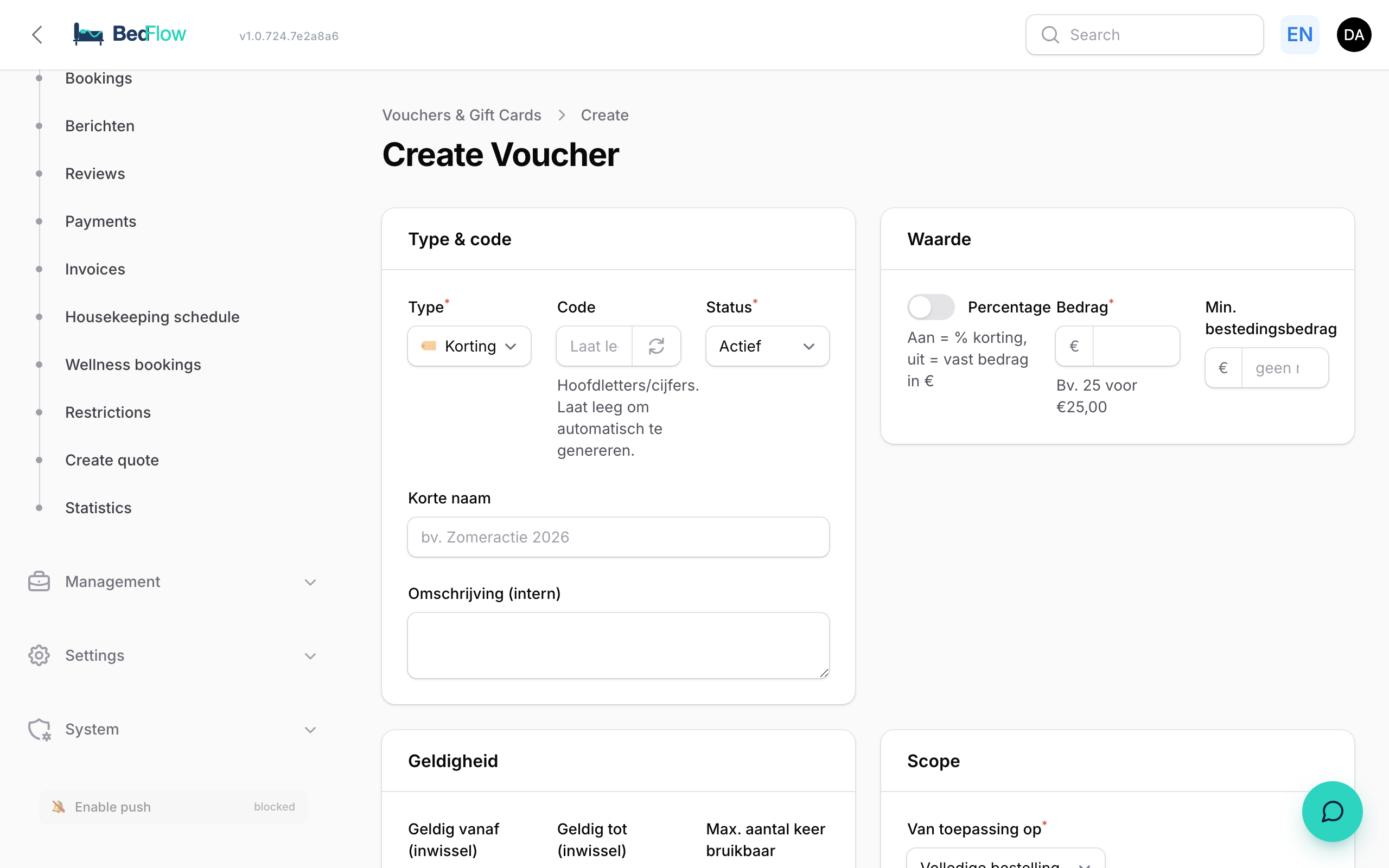
Type & code
| Field | Explanation |
|---|---|
| Type | Discount code — customer enters the code or Gift voucher — unique code per purchase |
| Code | Leave it empty and BedFlow creates one (e.g. XXXX-XXXX, or GIFT-XXXX-XXXX for a gift voucher). Or type your own code in capitals and numbers |
| Status | Active by default. Draft = not usable yet |
| Short name | For yourself, e.g. "Summer promotion 2026" |
| Description (internal) | An internal note, e.g. "Compensation for booking 1234" |
Value
- Percentage: on = discount as a percentage, off = fixed amount in euros.
- Amount or Percentage: e.g. 25 for €25, or 10 for 10%.
- Min. spend: optional; the code only works from that amount.
Validity
| Field | Explanation |
|---|---|
| Valid from (redemption) / Valid until (redemption) | When the code may be entered |
| Max. number of uses | Empty = unlimited. Usually 1 for a gift voucher |
| Stay from / Stay until | The arrival date must fall between these dates |
| Min. number of nights | Optional |
Scope
Applies to: Entire order, Overnight stays only, Specific products (choose them under Which products) or Wellness only.
Gift voucher info
Only for a gift voucher:
- Recipient — name and Recipient — email
- Send on date: empty = send immediately
- Personal message
- PDF language: Nederlands, English, Français or Deutsch
If you create an active gift voucher with a recipient email address, BedFlow emails the voucher (PDF + code) immediately, or on the chosen day at 9:00. You can always resend it with Send to guest in the list, or on the voucher itself.
Discount code only on certain nights
A discount code with Applies to: Overnight stays only can be limited to certain nights, for example a midweek discount from Sunday to Thursday. Under Only nights on, tick the days that count.
- A night counts on the day of arrival: Sunday is the night from Sunday to Monday.
- If the guest books a full week, the discount only applies to the part of the room price that falls on the ticked nights. More expensive weekend nights count at their own price.
- The booking widget shows the discount amount and how many nights it applies to, for example discount on 5 of 7 nights. The invoice calculates exactly the same amount.
- If not a single night falls on a ticked day, the booking widget refuses the code, explaining which nights do count.
- All seven days ticked means no restriction.
How does a guest redeem a code?
The booking widget on your website has a Discount code or gift voucher field with an Apply button. BedFlow checks whether the code exists, is valid and matches the booking, and immediately deducts the amount from what the guest pays. The guest can use one code per booking.
A gift voucher is used once (as set under Max. number of uses). If the stay is cheaper than the voucher, only the amount of the stay is offset; the difference doesn't remain on the voucher.
Selling gift vouchers
Settings → Integrations → Guest experience → Gift vouchers
Want to sell gift vouchers on your website? On the Gift vouchers tile, click Configure:
| Field | Explanation | Default |
|---|---|---|
| Sell gift vouchers | On or off. Off = the sales page can't be reached, not even by someone who knows the link | off |
| Valid for | How long a sold voucher stays valid, in months | 24 |
| Lowest amount / Highest amount | The limits for the whole shop | €25 / €5,000 |
Under Voucher types you set which vouchers you sell. By default these are Wellness, Overnight stay and Free to spend. Use Add type to create another one. For each type you fill in:
- Name
- Key: short, without spaces; it becomes part of the voucher code
- Applies to: Everything, Overnight stays, Wellness or Extras
- Suggested amounts: separated by commas, e.g. 60, 120, 180
- Minimum for this type
If you remove all the types, BedFlow restores the default set. Otherwise you'd have a sales page without a single button.
Click Save.
On your own website
In the same window, under On your own website, there's an Embed code: a snippet of code you paste into any page of your website. This also works on a site that doesn't run on BedFlow, because the sale and the payment are handled entirely by us. You choose the language in the code: replace lang=nl with en, fr or de.
If you use the BedFlow mini-site, you don't need to do anything: as soon as gift vouchers are switched on, the section appears by itself, with a link in the menu at the top.
How is a gift voucher invoiced?
When a voucher is sold, BedFlow creates a proforma. As soon as the voucher is paid, it automatically becomes a final invoice at 0% VAT for the full amount: with a multi-purpose voucher, VAT is only due when it's spent. The buyer receives that invoice by email straight away, together with the voucher as a PDF.
When the voucher is used later, the stay invoice shows the stay at its own VAT rate, plus a Gift voucher settlement line for the same amount as a negative, at 0%. That way the voucher's revenue is only counted once and the VAT arises at the moment it's spent. The guest only pays the difference. Your accounting integration passes on both invoices as they are.
Frequently asked questions
Can a guest use several codes at once? No, one code per booking.
A voucher has expired. Can I extend it? Yes. Open the voucher with Edit, change Valid until (redemption) and set the Status to Active if it says Expired. Click Save changes.
Can I create a discount code for one company? Yes. Create a discount code with its own code and share it with the company. If that company has to pay afterwards by bank transfer, also tick postpaid on its customer record. See Managing customers.